If you spend any time on YouTube looking for “Local LLM” guides, you’ve likely seen the pattern. A creator promises a guide to private, local AI, but halfway through, they pivot to a sponsored link for a cloud hosting provider. They tell you to run your “private” stack on a remote server.
Let’s be clear: that isn’t local AI. That is just the cloud with a different skin.
I wanted something different. I wanted a system where the “brains” are physically in my room, the data never leaves my sight, and the internet is an optional guest, not a requirement. After some experimentation, I’ve landed on a two-computer architecture that separates thinking from creating.
The Architecture: The Brain and the Hands
My setup is designed to maximize VRAM and compute without bottlenecks. By splitting the workload across two machines, I can run heavy creative tools and massive LLMs simultaneously without one starving the other.
Node 1: The Brain (Mac Studio M4 Max)
The Mac Studio serves as my dedicated inference server. I’ve moved away from LMStudio and mlx-lm in favor of Ollama.
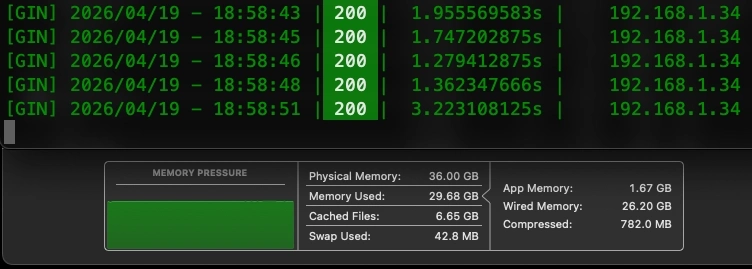
While the Mac is also running the Affinity suite and a powerful DAW, in this workflow, it is stripped down. It runs Ollama and a system monitor, acting as a high-speed API endpoint for my network. It is the “compute engine” that handles the heavy lifting of the LLM.
Node 2: The Interface (Zephyrus Laptop)
My Zephyrus (32GB RAM / 8GB VRAM) is where the actual work happens. It runs Hermes Agent, which connects to the Mac Studio over the local network.
Because the Mac handles the inference, the Zephyrus is freed up to run Blender and ComfyUI at the same time. This is the “secret sauce” of the setup: while the Mac is “thinking” and generating a response via Hermes Agent, I can spend those seconds adjusting a node in ComfyUI or refining a mesh in Blender.
The Privacy Layer: The Semi-Airgap
Privacy isn’t just about where the data is stored; it’s about control. Both machines are semi-airgapped. I keep the WiFi disabled by default, enabling it only temporarily when updates or external data are required. This creates a digital sanctuary where I can research and create without the noise and destruction of the modern web.
The Multitasking Edge: Piper TTS
One of the most underrated additions to this workflow is Piper TTS. By routing Hermes Agent’s responses through a text-to-speech engine, I can actually listen to the AI’s analysis or suggestions while my eyes are fixed on my Blender viewport or a browser tab. It transforms the AI from a chat-box into a collaborative partner that speaks to me while I work. (Voice input is the next frontier, but for now, the output is where the value lies).
A Paradigm Shift: The New “Internet Moment”
I remember the mid-90s when the internet became affordable. It changed everything. We stopped looking for information in books and started looking for it in browsers. It was the biggest shift in computing I had ever seen.
I believe we are currently in a second shift, one that is even more profound.
For the first time, we can learn, research, and create in total autonomy. The ability to learn Python, conduct deep research, and iterate on complex ideas entirely offline is a form of freedom we haven’t had since the dawn of the digital age. With tools like OpenClaw and Hermes Agent, we are moving toward a world where the “Hollywood movie” version of AI. A private, omniscient assistant is now a tangible reality.
We are just getting started. The cloud is a convenience, but local AI is a superpower.