UPDATE May 9, 2026 (FIXED???)
Today’s update included kernel 7.0.5 and to test, I have switched back from the LTS kernel, assuming that it would fail. It did not. CachyOS booted as expected and both, my laptop screen as well a my external monitor are working.
I will test this a few more times and updat once I know for sure. Bur for now, it works.
Linux since 1999 has taught me one immutable truth: whenever a forum thread suggests “trying a different cable,” it is almost always a kernel issue.
I recently installed CachyOS on my 2021 ASUS Zephyrus. On paper, it’s a powerhouse of a distribution, but as soon as I booted up, I hit a classic Linux desktop snag. My external HDMI monitor worked perfectly, but the laptop’s internal panel remained stubbornly dark.
For a moment, it looked like a hardware failure, until I booted into MX Linux AHS on the same machine. Everything worked flawlessly.
The Culprit: Kernel Regression
The issue wasn’t my hardware, and it wasn’t a missing driver. The culprit was the default 7.x kernel shipped with CachyOS.
In this specific version, there is a regression that fails to properly initialize the internal laptop panel when an external display is detected during the boot sequence. Essentially, the system “forgets” the primary screen exists the moment it sees an HDMI connection.
The Fix: The Power of the LTS Kernel
The beauty of CachyOS is that it doesn’t just give me the latest and greatest; it gives me a safety net. The fix is straightforward:
- Restart my laptop.
- At the systemd-boot menu, instead of selecting the default kernel, I select the 6.18 LTS (Long Term Support) kernel.
- Then, boot as usual.
Immediately, both screens light up. Even better, the bootloader remembers your selection for future restarts, meaning you don’t have to manually switch every time I turn on my machine.
Is CachyOS Still Worth It?
You might wonder why I’d stick with a distro that requires a kernel downgrade just to see my screen. The answer is simple: heat.
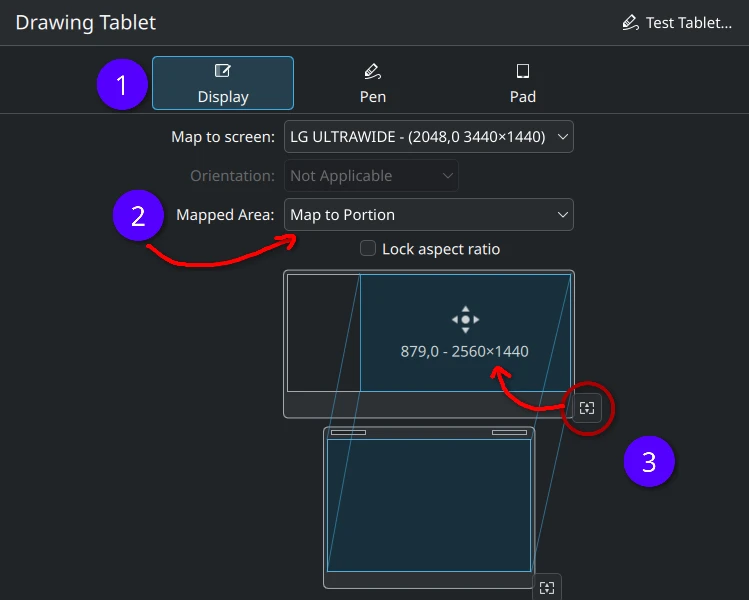
Despite the kernel detour, CachyOS is a winner. My previous setup on MX Linux AHS left the laptop body uncomfortably warm, a dealbreaker as we head into a hot summer. CachyOS, by contrast, runs cool and fast. Between the improved thermals and a seamless, driver-free setup for my XP-Pen Deco Pro tablet in KDE, the trade-off was well worth it.
The “Price” of Control
These rough edges are the price we pay for true system control. Most users don’t want to dive into boot menus or debate kernel versions; they just want their displays to work.
But for those of us who enjoy the granular control of Linux, these moments are just part of the process. If you find yourself searching for “laptop HDMI dark screen” or “CachyOS external monitor issue,” then try the LTS kernel first. It’ll likely solve it.