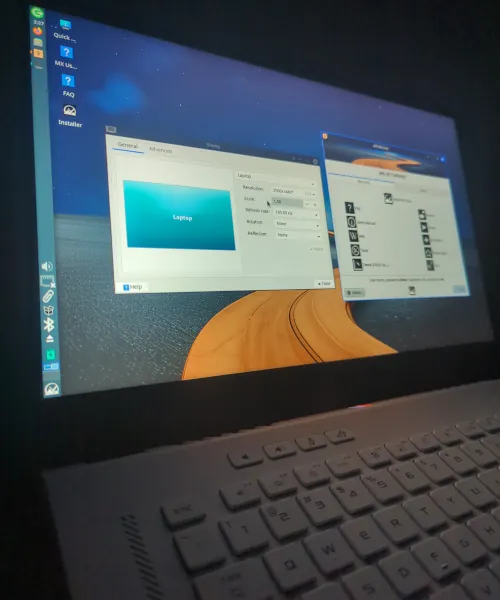
Running Linux on modern gaming laptops has always been a challenge. Today, I tested the MX Linux Advanced Hardware Support (AHS) ISO (download link) on my 2021 Asus Zephyrus G15, and the results were nothing short of impressive.
This is part one of a two‑part series: live boot experience now, full installation tomorrow.
Why MX Linux?
Over the years, I’ve tried Fedora, Ubuntu, Manjaro, and CachyOS on different machines. Each had strengths, but also frustrating limitations:
- Fedora worked well early but I am not a fan of Flatpak.
- Ubuntu introduced lag in their latest releases.
- Manjaro failed to boot with LUKS encryption.
After those experiences, I turned to MX Linux. On my Dell workstation, it delivered speed, stability, and unique features like snapshots, a lifesaver that lets me roll back to a clean state in minutes. That reliability made me wonder: could MX Linux handle a gaming laptop like the Zephyrus?
Live Boot Experience on the Zephyrus G15
Booting MX Linux AHS was smooth and surprisingly polished:
- HiDPI scaling: XFCE’s 125% and 150% scaling looked crisp on the 1440p display.
- Wi‑Fi: I saw my SSID and assume that, once installed, it will work..
- Battery management: TLP recognized the battery and provided realistic life estimates.
- Suspend & wake: Worked flawlessly, with accurate battery reporting after resume.
- Thermals: The system stayed cool to the touch and quiet.
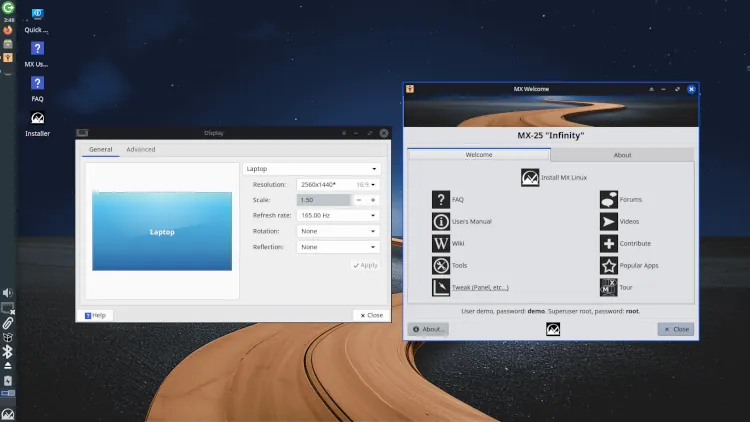
This is the first time I’ve seen a distro handle the Zephyrus so gracefully out of the box.
Why This Matters
Laptops are notoriously tricky when it comes to running Linux. Yet MX Linux AHS feels ready for prime time:
- NVIDIA RTX 3080 support: With MX’s Nvidia installer, I expect Blender and FreeCAD to run at full GPU power.
- Snapshots: Better than Timeshift, giving me VM‑like rollback without sacrificing native performance.
- Freedom from Windows: As Microsoft pushes account‑linked restrictions, MX Linux offers control and independence.
What’s Next
Tomorrow, I’ll reboot in NVIDIA mode, verify GPU acceleration, and perform a full installation. Part two will cover:
- Installing MX Linux AHS on the Zephyrus G15
- Configuring NVIDIA drivers for performance
- Advanced tuning with snapshots and power management
Final Thoughts
Every Linux distribution has its strengths, but MX Linux stands apart. I could install CachyOS, Fedora, or even Ubuntu, yet none of them offer an out‑of‑the‑box feature to create an ISO from a working install. That capability alone changes everything.
For me, snapshots are the beginning and the end. They trump every other “fancy” feature because they ensure continuity. MX Linux gives me the virtual‑machine‑like guarantee I need: if necessary, I can recover and keep moving with minimal downtime. That’s why MX Linux AHS isn’t just another distro, it’s the choice for my Zephyrus G15 and for anyone who values reliability above all else.
Stay tuned for Part Two: MX Linux AHS on the Zephyrus G15 Earned My Trust