The End of Distro-Hopping, Not by Discipline but by Design
I have been using Linux since 1999. Over the years, I ran almost everything worth running. Debian, Ubuntu, Fedora, Manjaro, CachyOS, openSUSE, and more. Each had its strengths. None of them held me for long.
The pattern was always the same.
Something would break, or slow down, or change in a way that made daily work just a little more annoying. Not catastrophic. Just enough friction to plant a thought: maybe it is time to try something else.
Because I had a solid backup system, switching was easy. Too easy. I would move several times a year. It felt productive. It was not. It was avoidance.
MX Linux ended that cycle, and it did so in a way no other distribution managed.
The Real Problem Was Never the Distro
Looking back, the issue was not instability. It was recovery.
Every distribution assumes you will fix problems. Debug them. Search forums. Patch your system back into shape.
That works until it does not.
When something breaks in a way that costs hours, or worse, interrupts actual work, the system has already failed regardless of how powerful it is on paper.
What I needed was not a better system.
I needed a system that makes failure irrelevant.
MX Linux and the Concept of Disposable Systems
MX Linux does something subtle but profound through its snapshot system.
It turns your installed system into something you can discard and recreate at will.
The MX Snapshot tool allows you to create a full, bootable image of your current environment. Not a partial backup. Not a list of packages. A complete, working system exactly as you use it.
Applications, settings, workflows, everything.
The moment you understand this, your relationship with the system changes.
You stop protecting it.
You start using it.
Why This Is Better Than Virtual Machines
For years, I relied on virtual machines to stay productive. They gave me safety. I could experiment, break things, and roll back instantly.
The cost was performance and friction.
MX Linux removes that trade-off.
| Approach | Performance | Recovery | Flexibility |
|---|---|---|---|
| Virtual Machines | Reduced | Excellent | High |
| Traditional Linux | Full | Poor | High |
| MX Linux Snapshot | Full | Excellent | High |
You get the safety of a VM with the speed of bare metal.
That is not a small improvement. It is a different category.
The Desktop Matters Less When the System Is Reliable
I spent several years using GNOME. From around 2018 to mid last year, it was my primary environment.
At its best, GNOME felt focused and modern. At its worst, it became slow in places where speed matters most.
By mid 2025, application startup latency increased. Core tools no longer felt instant. That alone is enough to disrupt workflow.
When pressing a terminal icon results in a delay instead of an immediate response, the system is no longer transparent. It becomes something you notice.
That is never a good sign.
Returning to XFCE With a Different Perspective
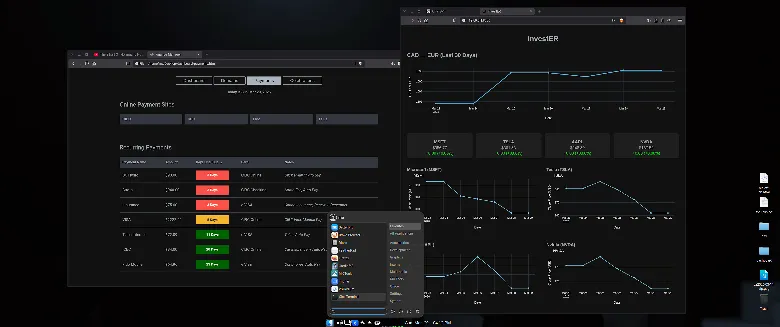
XFCE is simple. That is precisely why it works.
It does not try to redefine workflows. It does not introduce unnecessary abstraction. It simply responds.
On MX Linux, XFCE feels complete. Not minimal, not outdated, just efficient.
With a bit of customization, it becomes a modern, polished environment that does exactly what it should do and nothing more.
Applications launch instantly. The interface stays out of the way. The system feels predictable again.
Hardware That Finally Feels Used Properly
My 2021 Zephyrus G15 previously ran more performance-focused distributions like CachyOS. On paper, those setups were optimized.
In practice, they were not more productive.
MX Linux, particularly the AHS version, runs flawlessly on this machine. It is stable, responsive, and consistent over time.
That consistency matters more than marginal performance gains, which can be wiped out by a single bad update.
A Workflow Built Around Continuity
My current setup is simple:
- MX Linux with XFCE
- MX Snapshot for full system recovery
- Development environment built around VS Codium
- External services like LM Studio running on separate hardware
The important part is not the tools. It is the continuity.
I do not think about updates breaking my system. I do not hesitate to install or test something new. If anything goes wrong, I restore and continue.
Work is no longer interrupted by maintenance.
One Year Without the Urge to Switch
It has been close to a year since I installed MX Linux.
That is unusual for me. Historically, that would have meant several distribution changes. Instead, I stayed.
Not because I decided to. Because there was no reason to leave.
The system does what it should. It stays out of the way. It recovers instantly when needed.
There is nothing to chase.
Final Thought
Most discussions about Linux focus on performance, customization, or philosophy.
Those things matter.
But in daily use, the most important feature is simpler:
How quickly can you get back to work when something goes wrong?
MX Linux answers that question better than any distribution I have used.
And once you experience that, everything else becomes secondary.